Applicant Tracking Systems aren’t new, but they’re not standing still either. The platforms most employers use — Workday, Greenhouse, Taleo, iCIMS — increasingly use AI and natural-language processing rather than simple keyword-matching rules. That shift changes some of the advice that used to circulate, while leaving the core fundamentals exactly where they’ve always been.
Before the steps, one correction worth making, because it determines where you spend your effort. You’ve probably read that ATS software auto-rejects 75% of resumes before a human sees them. That figure is a myth — it traces back to a 2012 sales pitch from a company that went bankrupt in 2013, with no published methodology. The reality, per recent recruiter interviews, is that only about 8% of recruiters configure content-based auto-rejection; the large majority of applications are reviewed by a human, and the real bottleneck is application volume, not a secret algorithm. (Full breakdown in why your resume gets rejected.)
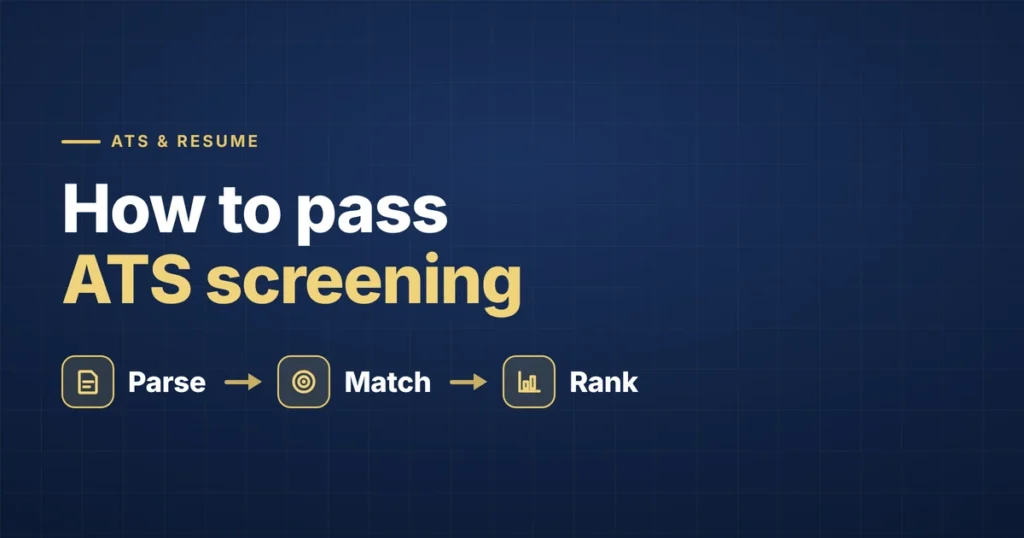
So “passing ATS screening” isn’t about tricking a bot. It’s about two concrete goals: making sure a parser can cleanly read your real qualifications into the fields a recruiter searches, and using the specific language that surfaces you in those searches. Here’s how to do both.
Step 1: Use a Single-Column, Standard Format
This hasn’t changed and isn’t going to. Tables, multiple columns, graphics, and icons remain unreliable for parsing regardless of how sophisticated the underlying system gets — some testing shows multi-column resumes losing 50% or more of their content when parsed. A single-column layout in a standard font (Arial, Calibri, Georgia, Times New Roman) at 10–12pt is the safest choice. Reverse-chronological order — most recent role first — still parses most predictably. (More on this in the resume format guide and the common traps in ATS resume mistakes.)
Step 2: Follow a Predictable Section Order
Contact information, professional summary, skills, work experience, education, certifications — in that order — holds up reliably across most major platforms. This isn’t a creative-writing exercise; it’s closer to filling out a structured form that happens to look like a resume. Use standard section headers exactly (“Experience,” “Skills,” “Education”), not creative alternatives that a parser may fail to classify.
Step 3: Extract Keywords Directly From the Job Posting
This is the step most people skip, and it’s the one that matters most. Before editing anything, copy the actual job description and identify the specific tools, certifications, and phrases it uses. Then mirror that exact language in your resume rather than relying on the system to recognize a synonym.
This matters more than it used to and less than the hype suggests. Some newer ATS platforms can recognize related terms — partially matching “Customer Success Manager” to “Client Relations Manager,” for example — but exact keyword matches still score highest across the board. Don’t assume the system will make the connection for you. Research consistently shows resumes containing the posting’s keywords are significantly more likely to be surfaced for human review.
One detail that trips people up: spell out both the acronym and the full term where relevant. “Search Engine Optimization (SEO)” registers more reliably than either form alone, since you can’t know which version the specific posting’s parser is searching for. (For a role-specific example of doing this well, see software engineer resume keywords.)
Step 4: Quantify Everything You Can
Vague statements like “responsible for sales growth” tell the parser and the eventual human reader almost nothing. “Built a sales dashboard tracking 5 KPIs, improving reporting efficiency by 20%” gives both something concrete to evaluate. This isn’t just an ATS point — eye-tracking research on how recruiters scan resumes finds that a concrete metric draws the eye and invites further reading during that brief first pass. Wherever you have a real number — a percentage, dollar figure, or timeframe — use it.
Step 5: Watch Your Resume Length
This varies more by experience level than people expect:
- Early-career (0–5 years): One page, focused on the most relevant experience.
- Mid-career (5–15 years): One to two pages, using the second page only if it adds genuinely relevant proof.
- Senior/executive: Two pages, occasionally three in specific cases — but every line still earns its place.
A simple test: if your second page is mostly older or unrelated roles, cut it or move those details to LinkedIn instead.
Step 6: Don’t Treat Career Gaps as Something to Hide Through Formatting
It’s tempting to use a functional, skills-grouped format to de-emphasize a gap. Be cautious — some ATS systems specifically flag or auto-reject resumes lacking clearly dated work entries, and a recruiter reads missing dates as a question mark. If you have a real gap, a hybrid format (brief skills summary up top, normal chronological history below) is the safer route. A one-line, honest framing of a gap (“2023: career break; completed self-directed data-analysis projects”) tends to read better than no explanation, and far better than hiding the dates altogether.
Step 7: Export Cleanly, and Check Both Formats
Resumes built in design tools (Canva, heavily-styled Word templates) don’t always export as ATS-readable text, even when they look perfect on screen — testing has found a large share of Canva templates fail basic parsing. Save and check your resume in both .docx and .pdf, since different employers’ systems handle each differently. A fast DIY check: paste your resume text into Notepad; if it scrambles, the ATS will struggle too. If you have access to an ATS checker (Jobscan, Resume Worded), run your final draft through one before submitting anything important.
What Hasn’t Changed
Despite all the platform-level shifts, the core advice has stayed remarkably stable: simple formatting, standard structure, honest quantified achievements, and language that mirrors the actual posting. The systems have gotten smarter, but the fundamentals of being clear, specific, and consistent haven’t gone anywhere — they’ve just become slightly less optional than they used to be.
Frequently Asked Questions
What ATS do most companies use?
The most common platforms are Workday, Taleo, Greenhouse, iCIMS, and Lever, with Workday holding the largest market share among large employers. Nearly all Fortune 500 companies use some form of ATS. They share broadly similar parsing rules, so a clean, standard-format resume works across them rather than needing to be tailored per system.
What ATS score do I need to pass?
There’s no universal “pass” score, since most systems rank rather than reject. That said, ATS-checker tools commonly recommend aiming for around 80%+ keyword and formatting alignment with a specific posting. More useful than chasing a score is making sure your resume cleanly contains the posting’s actual required skills and language.
Does keyword matching still work, or is it outdated?
It still works and still matters — exact keyword matches score highest in most systems — but the approach has evolved. Newer platforms use natural-language processing that can penalize unnatural stuffing, so the goal is to weave the posting’s real terms into your experience bullets naturally, not to pad a skills list.
How long does ATS screening actually take?
The parsing and scoring happen almost instantly on submission. What takes time is the human review afterward — and since many recruiters review in arrival order and pause postings after a few hundred strong applications, when you apply can matter as much as how well your resume parses. Applying early is an underrated advantage.
Can I get past ATS without keywords?
You can submit, but it won’t perform well. Each posting uses different language for similar roles, and a resume missing those specific terms ranks lower and is less likely to surface in a recruiter’s search. Tailoring the skills section and a few bullets per application takes 15–20 minutes and meaningfully improves your callback odds.
The Bottom Line
Passing ATS screening in 2026 comes down to clean formatting so a parser can read you, the posting’s real language so you surface in searches, quantified achievements so you hold attention during a brief human scan, and applying early enough to be in the pile that actually gets reviewed. None of it is about gaming a machine — it’s about removing the friction between your real qualifications and the person deciding who to interview.
If doing this for every single application is more than you can sustain on top of your job search, that’s exactly what we handle — clean, tailored, keyword-aligned applications, every time. See how it works or get started.