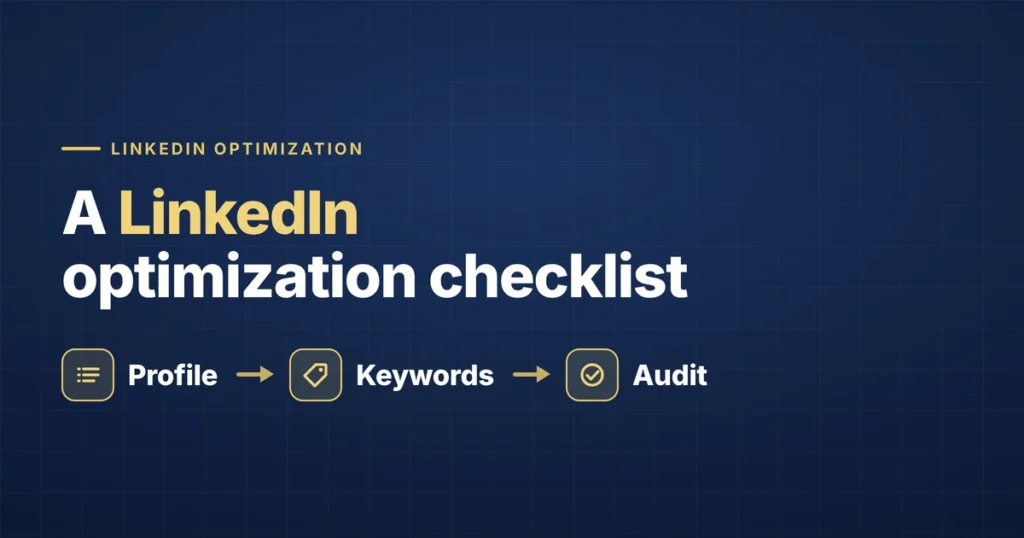
Use this checklist as a periodic audit — not a one-time setup task. Run through it whenever you shift your job-search focus, and at minimum every 90 days while actively searching. It’s updated for LinkedIn’s 2026 search changes, which raised the weight of your headline, made profile completeness and recent activity bigger visibility factors, and rewarded verified skills.
Headline
- Goes beyond your current job title to include your specialization or value
- Contains the specific keywords a recruiter searching for your target role would actually type, in standard searchable language (not creative internal titles)
- Most important information is front-loaded in the first several words
- Uses most of the 220-character allowance (longer, keyword-rich headlines earn more impressions)
- If actively job searching, this is stated directly in the headline text, not just signaled through the “Open to Work” frame
Why it leads the list: after the 2026 update, the headline carries roughly 60% of search ranking weight — the single highest-impact field.
About Section
- Opens with a concrete statement of who you are and what you do — not a vague generic opener
- Keywords are front-loaded in the first ~300 characters (now elevated in search weight, and the text shown before “See more”)
- Includes at least one specific, quantified accomplishment
- States clearly what you’re looking for, or focused on now
- Written in first person, as a real person, not a corporate bio or a copy of your resume
- Contains your target-role keywords naturally throughout
Skills Section
- Lists an accurate, currently-relevant set of skills — not padded with outdated ones
- Top skills reflect your strongest, most relevant strengths for your target role
- Core 3–5 skills have “Verified” badges via LinkedIn’s free skill assessments (can lift ranking and recruiter messages by up to ~30%)
- Top skills have endorsements — ask colleagues directly if needed
- The same skills appear on your resume — a mismatch between the two is a credibility gap (which skills belong on a resume)
Experience Section
- Each role includes a brief description with at least one quantified result, not just a list of duties
- Uses consistent formatting for dates and structure across entries
- Reflects the same framing and emphasis as your current resume — no mismatch
- Target-role language appears here too (semantic search rewards a coherent identity across the whole profile)
Profile Completeness
- Every section is filled (headline, About, experience, education, skills, certifications) — complete profiles surface in dramatically more searches
- Profile photo is professional, clear, and recent (now machine-scored for quality in 2026)
- Banner image is filled in (not the plain default) and reflects your professional focus
- Location is accurate and matches where you’re searching, including relocation flexibility
- “Open to Work” is configured intentionally — and consider “Recruiters only,” which now proactively pushes your profile into matching recruiter feeds
Credibility Signals
- At least one or two written recommendations from former colleagues or managers
- Profile reflects relevant certifications or completed skill assessments
Ongoing Activity (More Important in 2026)
- At least one post or comment within the past 30 days (recent activity is now a visibility signal)
- Some consistent engagement — even occasional thoughtful comments — rather than going dark
- Profile reviewed and updated whenever your target role, focus, or resume framing changes
How to Use This
Treat this as a recurring checklist, not a single pass. The most common failure mode isn’t never optimizing a LinkedIn profile — it’s optimizing it once, for an old target role, and leaving it untouched and inactive while everything else about your job search moved on. In 2026, that dormancy actively costs you visibility. (For the reasoning behind each item, see how recruiters search LinkedIn; for the specific traps, see LinkedIn mistakes.)
Frequently Asked Questions
How do I optimize my LinkedIn profile for job searching?
Work top-down by impact: a keyword-rich headline in your target role’s standard language (highest weight), an About section with keywords front-loaded in the first 300 characters, an accurate skills list with your core skills verified, complete every section with a quality photo, set “Open to Work → Recruiters only,” and stay active with at least a monthly post or comment. The checklist above covers each step.
What’s the most important part of a LinkedIn profile in 2026?
The headline. After LinkedIn’s 2026 search update, it carries roughly 60% of ranking weight, and a keyword there counts about 3x more than in a past Experience entry. Profile completeness and recent activity are close behind as visibility factors.
How often should I update my LinkedIn profile?
Audit it every 90 days while job searching, and update the headline and About whenever your target role or focus shifts. Separately, stay active weekly — even a comment or occasional post — since the 2026 algorithm treats recent activity as a visibility signal and dormant profiles lose ranking.
Do verified skills actually help on LinkedIn?
Yes. The skills section is directly searchable, and passing LinkedIn’s free skill assessments adds a “Verified” badge that can raise your search ranking and increase recruiter messages by up to about 30%. Prioritize verifying your core 3–5 skills.
The Bottom Line
A LinkedIn profile that gets found in 2026 is complete, coherent, keyword-aligned to your target role, verified where it counts, and active. Run this checklist quarterly, fix top-weighted fields first, and don’t let the profile go dormant.
If keeping your LinkedIn, resume, and applications all optimized and in sync is more than you want to manage during a job search, that’s exactly what we handle. See how it works or get started.