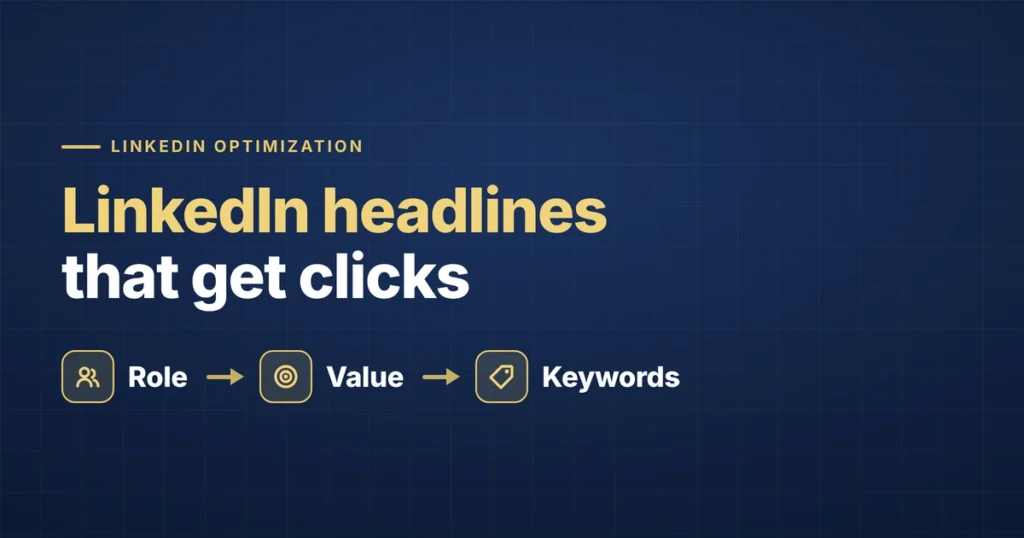
Your LinkedIn headline is one of the most heavily-weighted pieces of text on your entire profile — and as of 2026, it matters more than it ever has. It’s the primary signal LinkedIn’s search algorithm uses to understand who you are, and it’s the first thing a recruiter sees in search results, connection requests, and under your name on every comment you make. Most people waste it.
Here’s why it’s worth getting exactly right now. In a Q1 2026 update to its search algorithm, LinkedIn significantly increased the weight of the headline. By analyses of LinkedIn’s recruiter-search behavior, the headline and current-position fields now account for roughly 60% of search ranking weight, and a keyword in your headline counts approximately three times more than the same keyword buried in a past Experience entry. Translation: a perfectly optimized headline can outrank an otherwise-identical profile that left its headline generic.
The Default Mistake
LinkedIn auto-fills your headline with your current job title and company — “Software Engineer at Infosys,” “Marketing Coordinator at Acme Co.” It’s not wrong, exactly. It’s just nearly useless. It tells a recruiter what you currently do, but nothing about what you’re good at, what you’re looking for next, or why they should care — and it leaves most of your single highest-weighted search field empty.
What a Strong Headline Actually Does
A good headline goes beyond your title to communicate the value you deliver or the problem you solve — using the language recruiters actually search when trying to fill a role like the one you want next. Crucially, it uses standard, searchable job titles. LinkedIn’s 2026 semantic search is smarter about related terms, but if your company calls you a “Customer Happiness Wizard,” the algorithm still won’t reliably match you to “Customer Success Manager” searches. Use the title recruiters type.
Headline Formulas That Work
Formula 1: [Target Role] | [Key Skill/Specialization] | [Outcome or Domain]
Example: “Senior Product Manager | B2B SaaS & Growth Strategy | Led $4M+ in Launch Revenue”
Formula 2: [What You Help With] for [Audience/Industry]
Example: “Helping Mid-Market Companies Scale Customer Success Operations”
Formula 3: [Target Title] | [Specific Tools/Methods] | Open to New Opportunities
Example: “Data Analyst | SQL, Tableau, Python | Open to Work”
If you’re actively job searching, naming it directly in the headline — not just relying on the green “Open to Work” frame — matters. Many recruiters filter searches by keywords directly in the headline field, so the frame alone won’t necessarily surface you in a keyword-based search. (That said, do also set the “Open to Work → Recruiters only” option — see the FAQ on why that’s newly powerful in 2026.)
Real Before-and-After Examples
Before: “Software Engineer at TechCorp”
After: “Software Engineer | Full-Stack (React, Node.js) | Building Scalable Web Applications”
Before: “Marketing Manager”
After: “Marketing Manager | Demand Generation & Lifecycle Campaigns | B2B SaaS”
Before: “Looking for opportunities”
After: “Operations Manager | Process Optimization & Supply Chain | Open to Work”
Before: “Recent Graduate”
After: “Aspiring Data Analyst | SQL & Python | Computer Science Graduate, [University Name]”
A Few Practical Rules
- Front-load your keywords. The first several words matter most — that’s what displays before truncation in search previews and on mobile.
- Use the language recruiters search, not internal titles. “Data Analyst” gets searched far more than an obscure internal title like “Insights Associate,” even if that’s technically your current role.
- Use the space. LinkedIn allows up to 220 characters in headlines; analyses suggest longer, keyword-rich headlines (100+ characters) earn more search impressions than short ones. Separate concepts with pipes (|) or bullets for readability.
- Avoid vague self-description. “Passionate professional” and “results-driven leader” take up space without adding searchable signal.
- Update it as you change direction. If you’re pivoting, your headline should reflect where you’re going, not just where you’ve been — and LinkedIn’s 2026 algorithm rewards recently-updated, active profiles.
The Bigger Picture
A strong headline doesn’t work in isolation — it’s most effective when the rest of your profile (About, skills, experience) backs it up with the same keywords and positioning. LinkedIn’s 2026 search increasingly evaluates a profile’s overall coherence — sometimes called its “Topic DNA” — so your headline, About, and recent activity should all point at the same 2–3 core themes. But since the headline is now the single most heavily-weighted field you control, it’s the highest-leverage place to start. (Next, line up your About section and understand how recruiters actually search.)
Frequently Asked Questions
What should my LinkedIn headline be if I’m looking for a job?
Lead with the target role’s standard title, add 1–2 key skills or a value point, and state that you’re open — e.g., “Data Analyst | SQL, Tableau, Python | Open to Work.” Naming the role you want (not just your current title) is what surfaces you in the right recruiter searches. Use the headline’s space; longer, keyword-rich headlines earn more impressions.
How long should a LinkedIn headline be?
LinkedIn allows up to 220 characters. Use most of them — analyses show headlines over roughly 100 characters get more search impressions than short ones. Front-load your most important keywords, since previews and mobile truncate the end.
Does the LinkedIn headline affect search ranking?
Yes, heavily. After LinkedIn’s Q1 2026 algorithm update, the headline and current-position fields account for roughly 60% of search ranking weight, and a keyword in the headline counts about 3x more than the same word in a past Experience entry. It’s the single highest-impact field for being found.
Should I put “Open to Work” in my headline or just use the green frame?
Ideally both. Many recruiters filter by keywords in the headline text, so the frame alone may not surface you in a keyword search — putting “Open to Work” in the text covers that. Separately, setting “Open to Work → Recruiters only” now proactively pushes your profile into matching recruiter feeds under LinkedIn’s 2026 update.
The Bottom Line
Your headline is prime, heavily-weighted real estate that most people leave on autopilot. Lead with the role you want in standard, searchable language, back it with a real skill or result, use the space, and keep it current. It’s the fastest, highest-return change you can make to how often the right recruiters find you.
If optimizing every piece of your job-search presence — resume, LinkedIn, applications — is more than you want to juggle, that’s what we handle end to end. See how it works or get started.